Optimised Job Search Experience
Role
UX / UI Designer & Front-End Developer
Expertise
UX/UI Design
Tools
Adobe | Figma | HTML | CSS | JavaScript
Time Line
5 Months
Project Overview
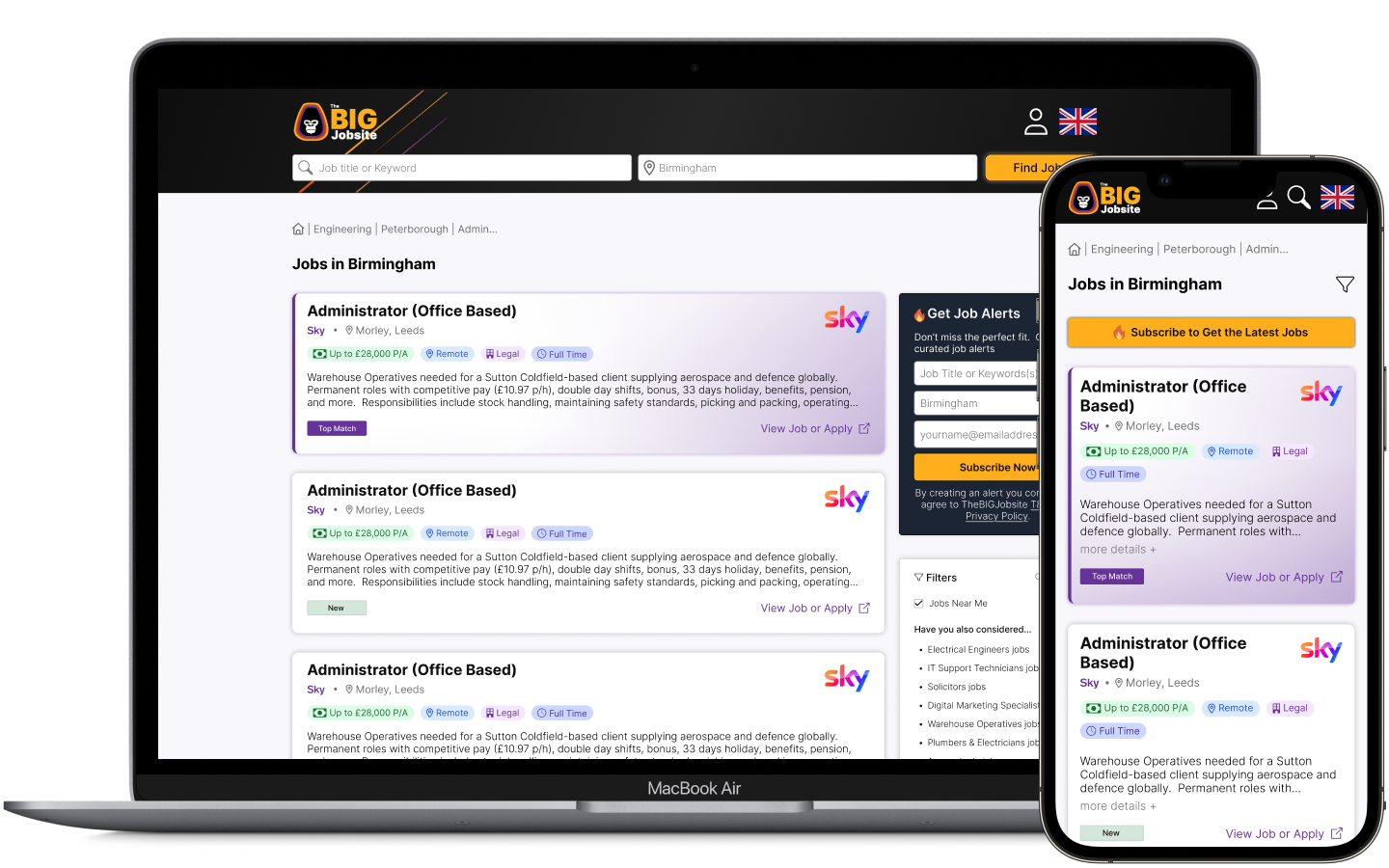
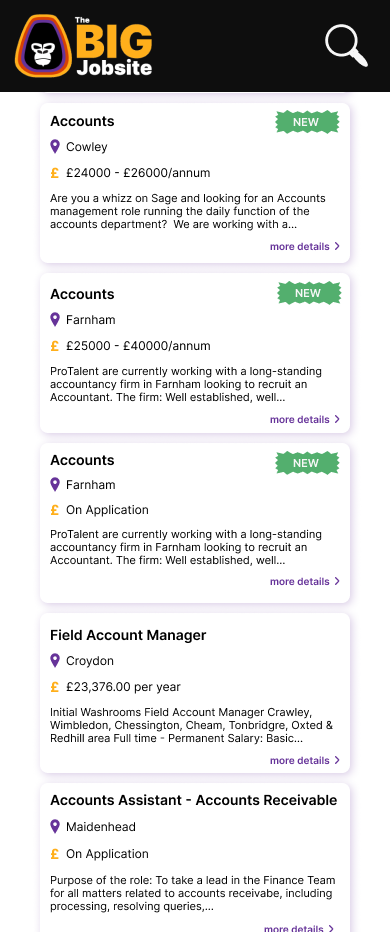
This project focused on simplifying a cluttered job results page and improving the search and filtering experience. The original layout was overwhelming, and users struggled with fragmented navigation, particularly on mobile. As the designer on this project, I aimed to modernise the page by prioritising job listings, streamlining filters, and improving mobile functionality. The solution involved transitioning to a single-column job card layout, creating a clearer visual hierarchy, and refining the search and filter experience. We added strategic callouts like top-matching jobs and premium ads, ensuring a more cohesive and engaging experience. These changes led to improved user focus and engagement across both desktop and mobile platforms.
Objective
Modernise the job results page by prioritising clarity, usability, and engagement. Ensure users can easily scan job listings, adjust filters, and discover relevant content, all in a responsive, mobile-first environment.
Core Challenge
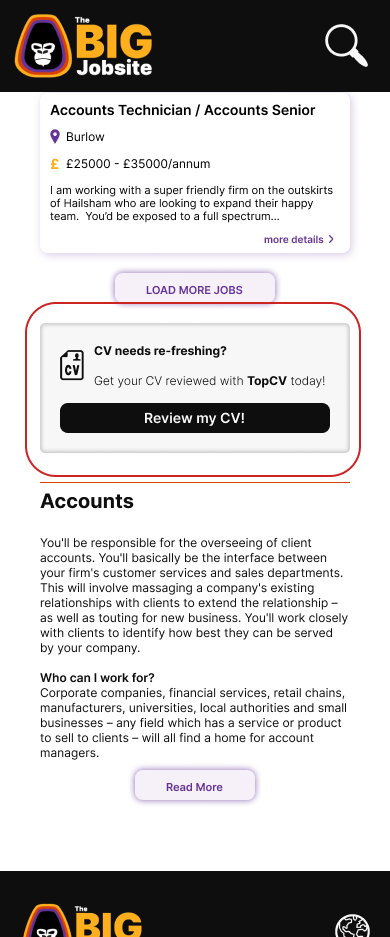
The previous layout was overwhelming, with cluttered content above the fold and fragmented search/filter workflows. Two-column job cards made it hard for listings to stand out, and value-added content like premium ads and career tools was often overlooked. The challenge was to create a clear visual hierarchy and seamless cross-device experience without sacrificing utility or engagement opportunities.
Evaluate & Enhance
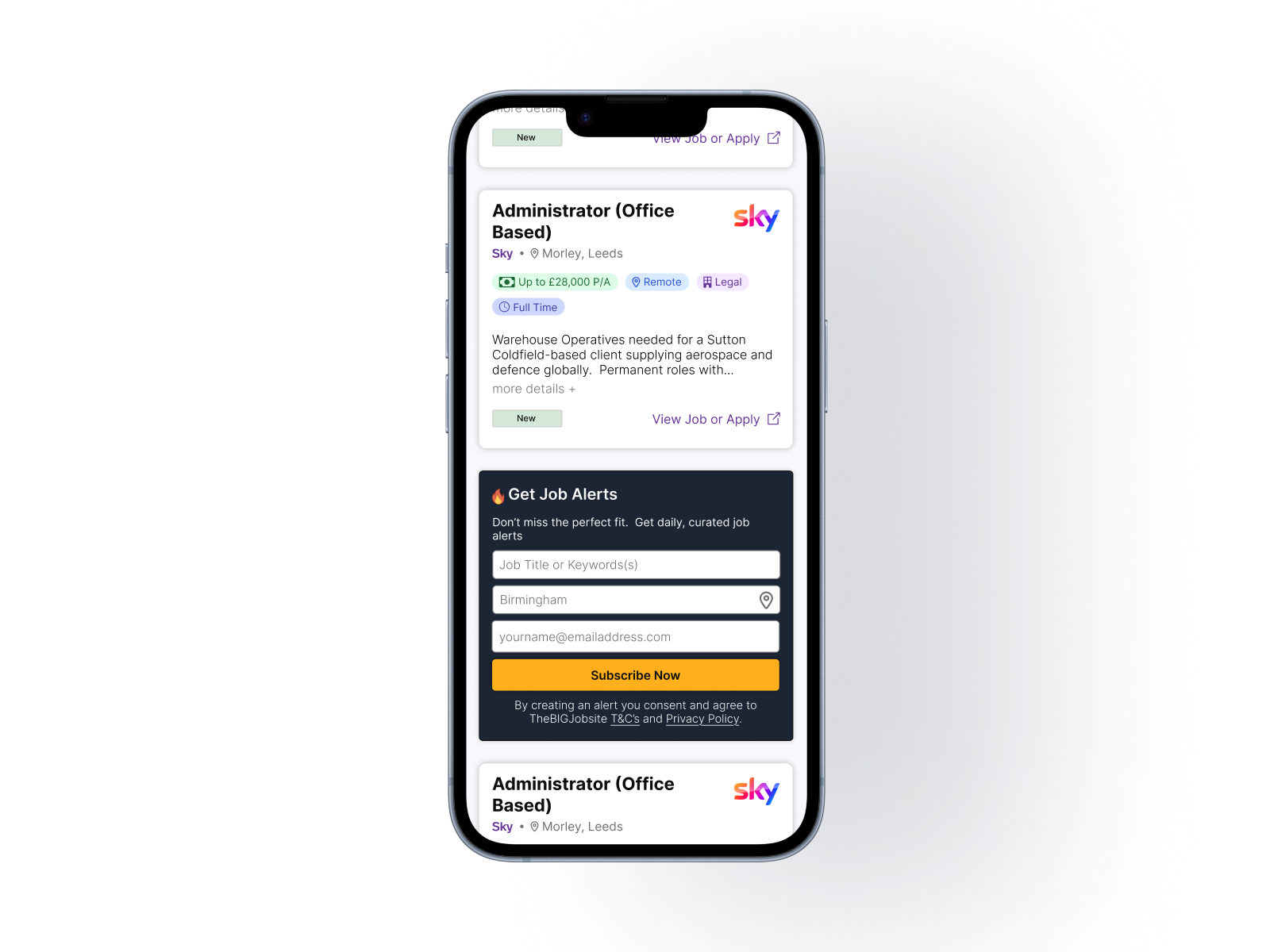
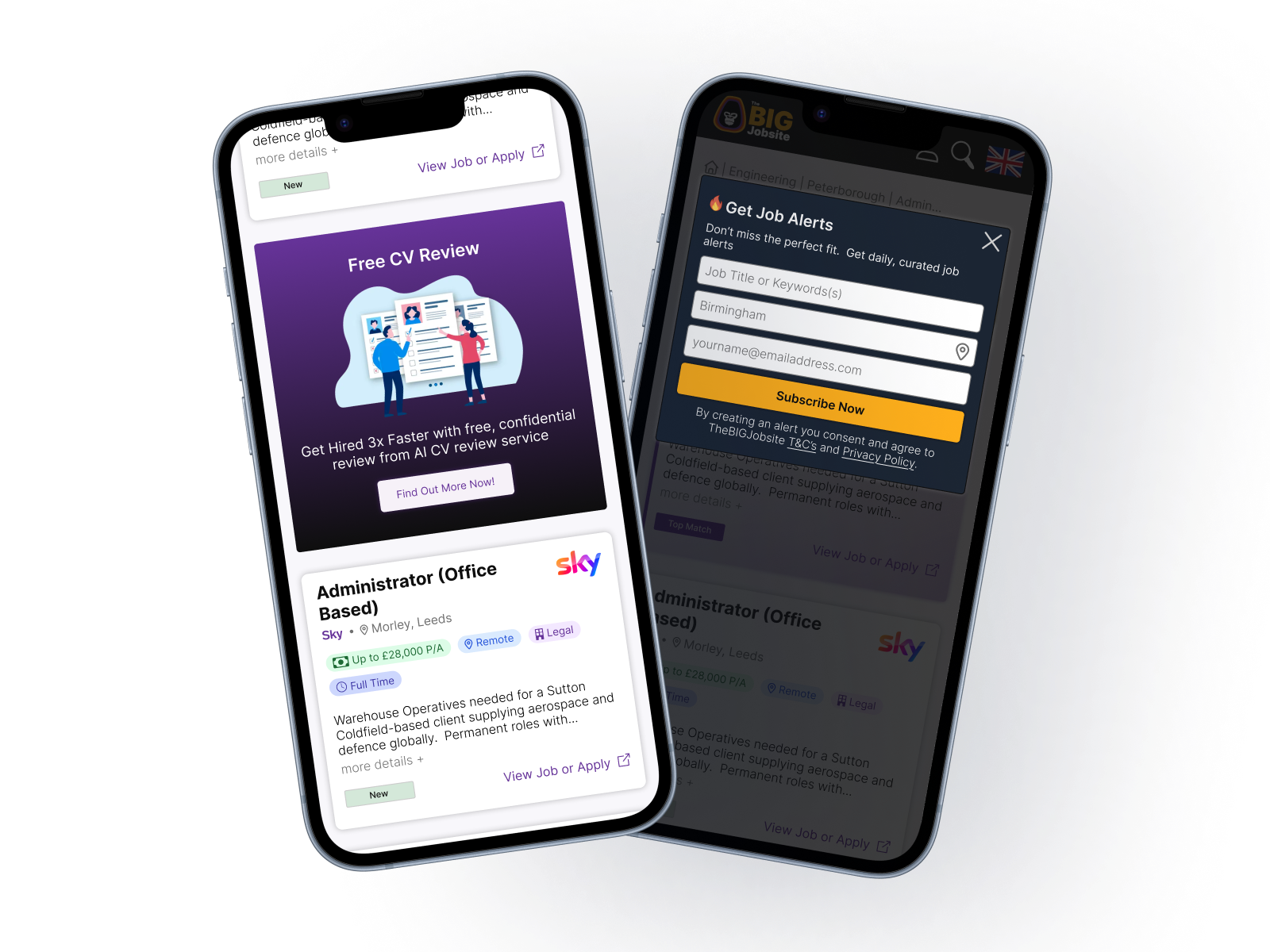
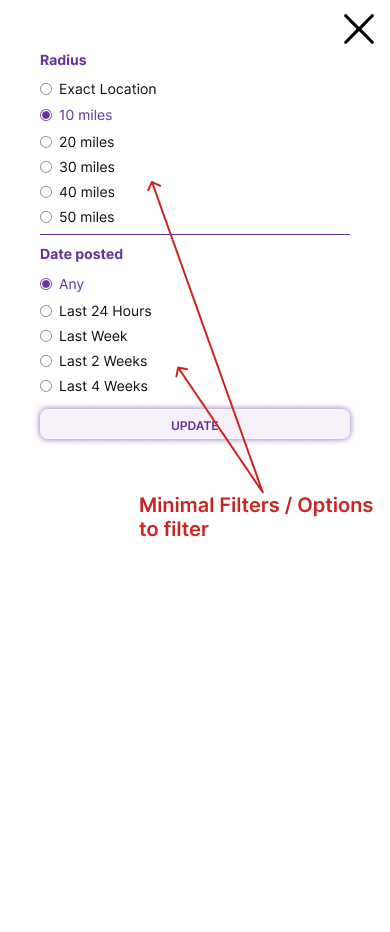
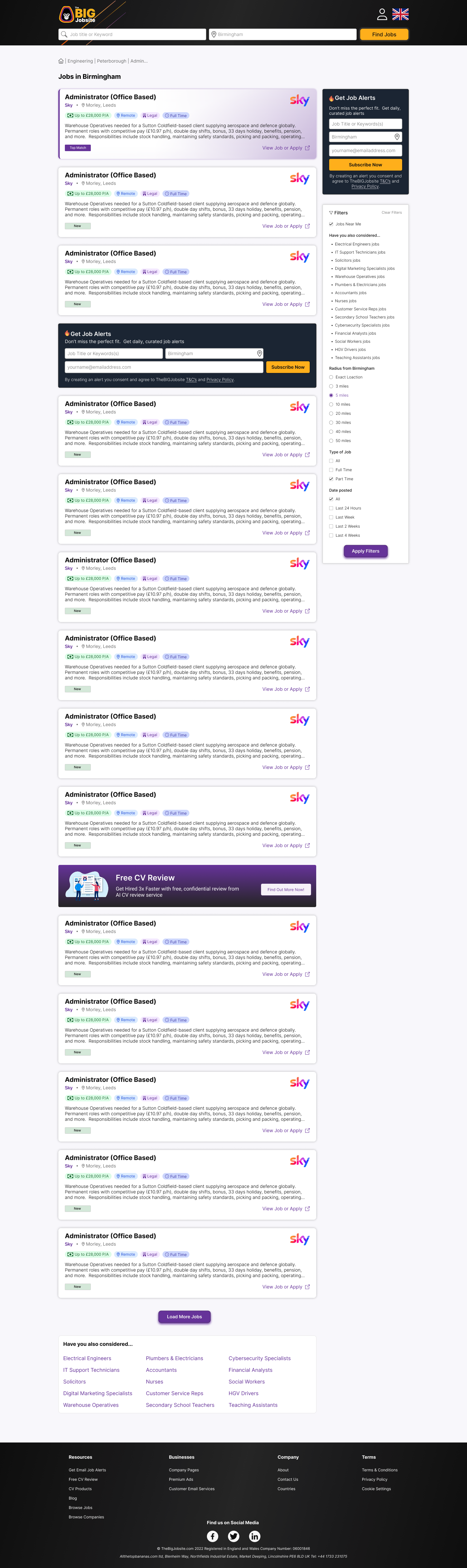
The redesign focused on reducing clutter, improving content hierarchy, and consolidating search and filter interactions. A split layout with job results on the left and filters/tools on the right created a clear reading flow, while strategic callouts—such as top-matching jobs, premium ads, and promotional tools—were integrated without disrupting the experience. Mobile interactions were carefully refined to minimise taps, maintain context, and ensure consistent visual appeal. These enhancements improved user focus, reduced cognitive load, and created a more conversion-friendly experience across devices.
Opportunities for Improvement
Although the new layout significantly improved usability and engagement, further refinements could enhance personalisation, content relevance, and discovery for users.
Dynamic Recommendations
Tailor “Top-Matching Jobs” based on user behaviour or search history to improve relevance.
Enhanced Filter Analytics
Track which filters users frequently engage with to optimise default options and layout.
Content Personalisation
Inject targeted tools, guides, or premium ads based on user profile or search behaviour.
Mobile Enhancements
Test alternative mobile layouts or filter interactions to further reduce taps and improve accessibility.
Continuous A/B Testing
Evaluate placement of callouts, promotional cards, and alerts to optimise conversion and engagement.
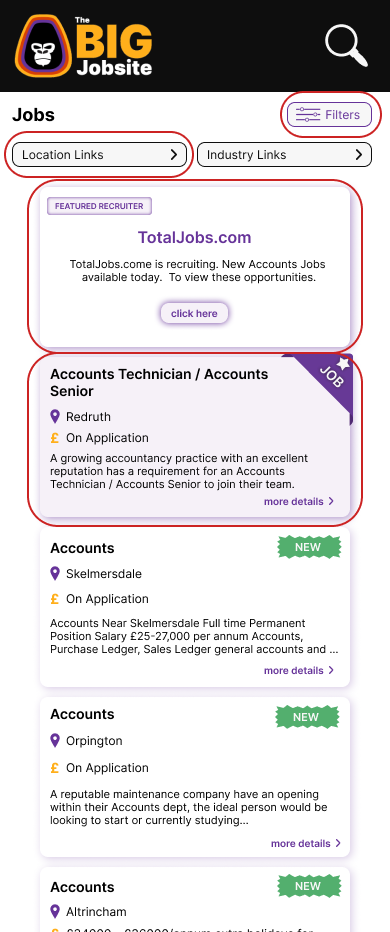
Finalised Wireframe
The Outcome
The redesigned job results page delivered a cleaner, more intuitive experience across desktop and mobile. Job listings are more readable, filters are consolidated into a single-step process, and value-added content is strategically highlighted without disrupting flow. Users can now focus on their search while easily accessing top jobs, premium ads, and career tools. Positive feedback highlighted the improved visual hierarchy, reduced friction, and enhanced mobile experience. The split layout and mobile-first design also provide a scalable framework for future iterations, ensuring the platform remains efficient, engaging, and user-centric.
Live Preview